Geometry Measurement: Practical Guide with Worked Steps
A practical guide to geometry measurement with visual clues, step-by-step workflows, and worked examples for lengths, angles, areas, and volumes.
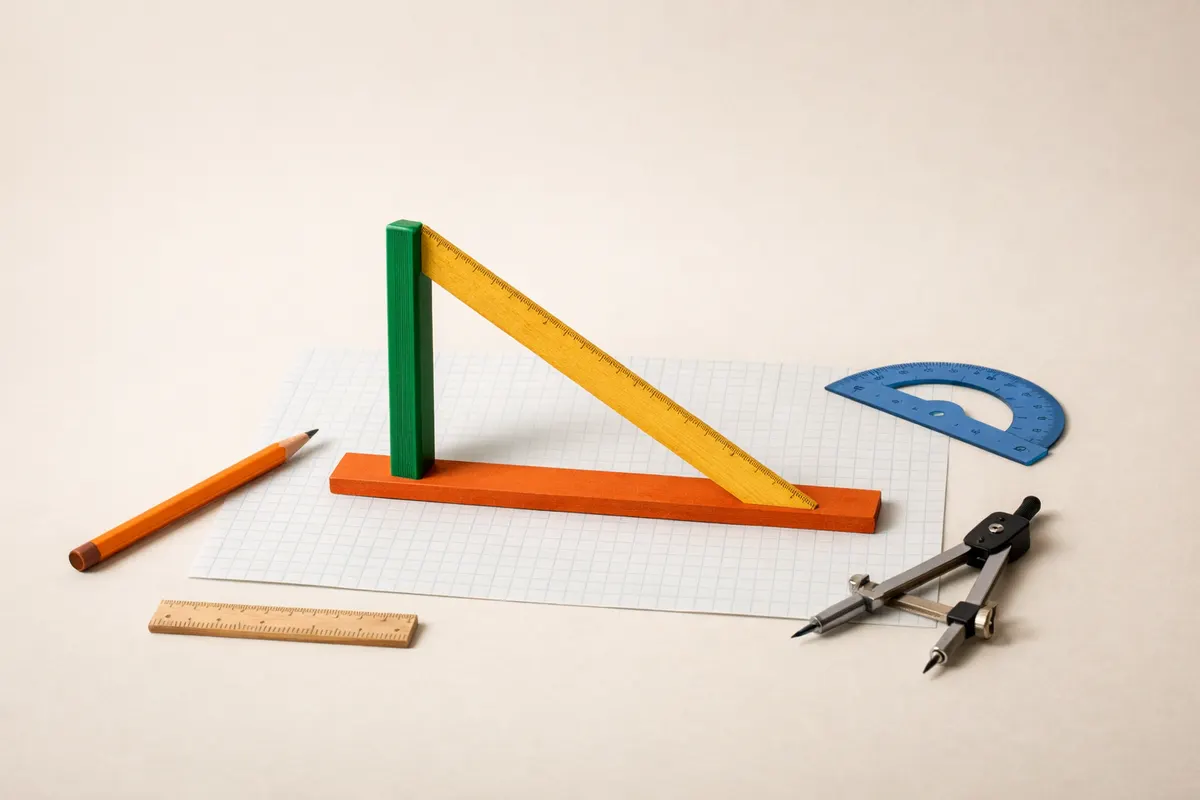
Quick answer: What geometry measurement does
Geometry measurement is the process of assigning numerical values to geometric properties: lengths, angles, areas, perimeters, and volumes. In practice that means converting what you see or can compute about a shape into numbers you can check and use in calculations.
For everyday problems, geometry measurement usually reduces to three tasks: picking a measurement method (direct, scaled, or computed), establishing a reference or scale, and applying the appropriate formula or geometric rule. For example, measure a triangle’s area by using base×height/2 when you can, or use coordinates and the shoelace formula when you have positions.
If you’re working from a photo, the most important immediate step is identifying any known-size object or metadata (camera focal length, distance) you can use as a scale. Without a reliable scale, absolute measurements are guesses; relative proportions and angles are often still accurate.
- Core outcome: numbers for lengths, angles, areas, perimeters, volumes.
- Common methods: direct measuring, scaling from a reference, computing from coordinates or angles.
- Key warning: photos need a scale or camera data to yield absolute sizes; otherwise you can measure only ratios and angles reliably.
What geometry measurement means in practice
At its simplest, geometry measurement answers questions like “How long is this side?” or “What is the area of that shape?” In classrooms and applied settings the question often starts with a figure and some given quantities: side lengths, angles, coordinates, or radii. Geometry measurement is the act of extracting the unknown quantity using logic plus formulae.
Measurement covers planar geometry (lines, polygons, circles) and solid geometry (prisms, cylinders, cones, spheres). Each category uses a small set of reliable formulas: perimeter and area formulas for polygons, Pythagorean relationships for right triangles, trigonometric rules for non-right triangles, and standard volume formulas for solids.
When data comes from images or scans, geometry measurement also includes practical geometry: aligning the image to a coordinate frame, correcting perspective, and converting pixel units to physical units. These tasks are where careful observation and extra contextual clues—from shadows to known object sizes—turn an imprecise photo into usable measurements.
- Planar examples: measuring a rectangle’s area (length×width) or a triangle’s area (base×height/2).
- Trigonometry: law of cosines and sines let you compute unknown sides and angles when parts of a triangle are known.
- Solids: volume formulas like V = (4/3)πr3 for spheres or V = πr2h for cylinders are used once radii/heights are measured.
Key clues to check before measuring geometry
Before you try to measure anything, inspect the scene for reliable anchors and distortions. A known-length object (coin, ruler, doorway height) gives you an immediate scale. Look for multiple anchors in different parts of the image—these let you check whether perspective or foreshortening is changing apparent sizes.
Next, evaluate perspective and plane alignment. If the shape lies in a plane that’s roughly parallel to the camera sensor, simple scaling works. If the plane is angled, perspective distortion will shrink lengths away from the camera. In that case, clue-check for vanishing points, parallel lines, or right angles that let you estimate the amount of foreshortening and correct it.
Also inspect shadows, surface textures, and repeated patterns. Shadows can provide height cues if the light source is known or can be approximated. Repeated tiles or bricks can provide spacing that acts as a ruler across the scene. Metadata such as focal length, sensor size, or distance in EXIF data adds more rigorous scaling options when available.
- Known object size: coin, printed card, door frame—use as a pixel-to-length scale.
- Multiple anchors: two or more known lengths let you test for perspective distortion.
- Plane alignment: check if the object is parallel to the camera; angled planes need perspective correction.
- Vanishing points and parallel lines: use them to reconstruct scale along the plane.
- Shadows and lighting: can offer height or depth clues when source geometry is consistent.
- Repeated patterns: tiles or bricks give consistent spacing you can measure across distances.
Step-by-step workflow for reliable geometry measurement
1) Define what you need and what you already know. Specify whether you need absolute measures (in meters or inches) or relative measurements (ratios, angles). List given quantities: marked side lengths, angles, coordinates, camera metadata, or known objects in the scene. This clarity prevents wasted calculation later.
2) Choose a method: direct measurement, scaling from a reference, coordinate-based computation, or trigonometric solution. Direct measurement applies when you can physically measure the object. Scaling from reference works for photos when at least one reliable-size object is present. Coordinate methods apply when you can extract points and work in a coordinate system, often after correcting for perspective.
3) Align, calibrate, and convert units. If using a photo, correct perspective so the shape lies in a usable plane: either apply a homography (photo correction) or measure along directions that are known to be parallel in real life. Convert pixel distances to physical units using your reference object: physical_length = pixel_length × (reference_physical / reference_pixel).
4) Apply the appropriate formula or solver. Examples: for triangle area use A = 1/2 × base × height or the shoelace formula if you have coordinates. For side lengths between two points (x1,y1) and (x2,y2), use distance = sqrt((x2−x1)^2 + (y2−y1)^2). For angles from vectors a and b, use angle = arccos((a·b) / (|a||b|)).
5) Check plausibility and propagate uncertainty. Compare your computed values against each other (e.g., triangle side lengths vs. perimeter-derived averages) and against physical constraints (a measured height that’s larger than the building is a red flag). If your reference has ± error, propagate that into final uncertainty: small errors in scale multiply through length, area (square of length), and volume (cube of length).
6) Report results with confidence intervals and method notes. State the method used, the reference scale, and the main assumptions (plane parallelism, negligible lens distortion, etc.). If the measurement will be used for safety, legal, or purchase decisions, recommend confirming with direct measurement or a professional survey.
- Define whether you need absolute or relative values first.
- Select appropriate method: direct, scale-from-reference, coordinates, or trigonometry.
- Correct perspective when the plane is not parallel to the camera.
- Convert pixels to real units using a known reference: physical = pixels × (ref_physical / ref_pixels).
- Use formulae: distance, shoelace, Pythagoras, law of sines/cosines, or standard area/volume formulas.
- Estimate and report uncertainty; a 5% scale error becomes ~10% area error and ~15%–20% volume error.
Examples
Example 1 — Triangle from coordinates (shoelace): Given three planar coordinates A(1,2), B(6,4), C(4,9), compute area with the shoelace formula. Area = 1/2 |x1y2 + x2y3 + x3y1 − y1x2 − y2x3 − y3x1|. Plugging numbers, area = 1/2 |1×4 + 6×9 + 4×2 − 2×6 − 4×4 − 9×1| = 1/2 |4 + 54 + 8 − 12 − 16 − 9| = 1/2 |29| = 14.5 (square units). This approach is robust when points are in the same plane and coordinates are known.
Example 2 — Measuring a circle in a photo with a known coin for scale: Suppose a circle in a photo spans 360 pixels in diameter and a nearby coin of known diameter 24 mm spans 60 pixels. Scale factor = 24 mm / 60 px = 0.4 mm/px. Circle diameter = 360 px × 0.4 mm/px = 144 mm, radius = 72 mm. Area = πr^2 ≈ 3.1416 × 72^2 ≈ 16,300 mm^2. Note the need to ensure the coin and circle are in the same plane; if one is closer to the camera the scale is invalid.
Example 3 — Angle between lines using vectors: Given two line segments defined by points P1(2,1)→P2(5,5) and Q1(2,1)→Q2(3,2), form vectors v = (3,4) and w = (1,1). Angle θ = arccos((v·w)/(|v||w|)) = arccos((3×1 + 4×1) / (sqrt(3^2+4^2)×sqrt(1^2+1^2))) = arccos(7 / (5×1.4142)) ≈ arccos(0.9899) ≈ 8.1°. This vector approach works well when coordinates or pixel positions are available.
Example 4 — Volume of a cylinder from scaled photo: You measure a cylinder’s height as 400 px and its top diameter as 200 px. A reference object gives scale 0.5 mm/px. So height = 200 mm, radius = (200 px × 0.5)/2 = 50 mm. Volume V = πr^2h = π × 50^2 × 200 ≈ 1,570,000 mm^3 or 1.57 liters. Again, ensure the top circle isn’t foreshortened by perspective—if it is, correct for the ellipse shape first.
- Shoelace formula handles polygon areas when coordinates are known.
- Scale from a reference object only when it is in the same plane and not significantly closer or farther.
- Vector dot product and arccos compute angles from coordinate data or pixel positions.
- Area scales with the square of linear scale; volume with the cube—small scale errors magnify.
Limitations and when to verify geometry measurements
Photos and single-view images have inherent limits. Without camera metadata or a reliable in-scene scale, you cannot produce trustworthy absolute sizes—only proportions, angles, and ratios. Perspective distortion, lens distortion (especially wide-angle lenses), and parallax errors from objects at different depths can all bias measurements.
Uncertainty propagation is a practical limitation. If your scale reference is approximate (±5%), that uncertainty multiplies: length errors remain about ±5%, area errors grow to ±10% roughly, and volume errors to ±15% or more depending on geometry. For decisions that depend on tight tolerances, plan to confirm via direct measurement (tape measure, caliper) or professional surveying tools.
Legal, safety, or high-stakes engineering uses require verified measurement. If a measured dimension will affect structural safety, legal compliance, or purchase decisions (for example, buying furniture to fit a doorway), treat photo-based measurements as preliminary and confirm on-site with physical tools or qualified professionals.
- Single photos without scale → only ratios and angles are reliable.
- Perspective and lens distortion can systematically bias measurements; correct or avoid them.
- Small scale errors produce larger area/volume errors—report uncertainty.
- Use direct measurement or professional verification for safety-critical or contractual requirements.
Related guides
Try a geometry measurement calculator
If you want a quick way to convert pixel measurements to physical sizes, compute areas from coordinates, or test trigonometric solutions, try the Geometry AI geometry calculator. Use it as an optional first pass after you’ve checked visible evidence and set a scale; it links directly to a solver for lengths, areas, angles, and volumes so you can validate worked steps before confirming measurements in person: https://geometryai.app/tools/geometry-calculator

Frequently asked questions
How do I convert pixel lengths from a photo into real-world measurements?
Find a reference object in the photo with a known real-world length (for example, a credit card width, door height, or a ruler). Measure that object in pixels to get reference_pixels. Compute scale = reference_physical_length / reference_pixels (for example, mm per pixel). Multiply other pixel measurements by that scale to get physical lengths. Ensure the reference object lies in the same plane as the feature you’re measuring; otherwise perspective will make the scale invalid. Report uncertainty from the reference size and any measurement noise.
Can I measure angles from a single image reliably?
Yes—angles in a plane are often robust to scale and some perspective distortion if the plane is not extremely slanted. Use coordinate positions for three points to form vectors and calculate angle via the dot product formula: angle = arccos((a·b)/(|a||b|)). If the plane is oblique, perspective can change apparent angles; check for vanishing points or use multiple views to confirm. For precise angle needs, use calibrated images or physical protractors.
When should I use the shoelace formula instead of base×height for area?
Use the shoelace (polygon area) formula when you have vertex coordinates but not an easy base-height pair, or when the polygon is irregular. The shoelace formula computes area directly from ordered (x,y) coordinates and is less error-prone than trying to select an appropriate base and height for complex polygons. It requires the polygon vertices to be in the same plane and listed in consistent order (clockwise or counterclockwise).
How do I report uncertainty for geometry measurements from photos?
Start by estimating the uncertainty in your scale reference (for example ±2% if the reference is measured accurately or ±10% if approximate). Convert that to length uncertainty directly; square the fractional length uncertainty for area, and cube it for volume to approximate how scale error propagates. Also include uncertainty from pixel measurement (± a few pixels depending on image resolution) and perspective correction. Present a final range (e.g., 120 ± 6 mm) and briefly state the main assumptions made, such as plane parallelism or negligible lens distortion.